Pi-hole on a Raspberry Pi
Setting up Pi-hole on a Raspberry Pi
Motivation
In 2026, I feel we don't code a lot (I personally try to). Now it's mostly tab tab tab...... So I decided to buy a Raspberry Pi 5 and tinker with it. I started researching what things I could run on rpi5 and came across hosting my own DNS and network-level ad blocker. I was intrigued and started setting up pihole on the Pi. It's not that difficult to run it if you're coming from a technical background, but for the sake of my own knowledge and maybe building a habit of writing things down in this AI world (lol).
Requirements
- Raspberry Pi, zero also works or any device that can run Linux and connect to your home network
- Micro SD card, for the Pi
- Access to your router, mine is available at 192.168.0.1
Setup
- Install Raspberry Pi OS, download the imager and flash it onto a micro SD card. * While installing, don't forget to enable SSH
- Boot into the Pi and connect to WiFi or use a LAN cable to connect it to the router.
- Assign a static IP to the Pi. It should look something like this:
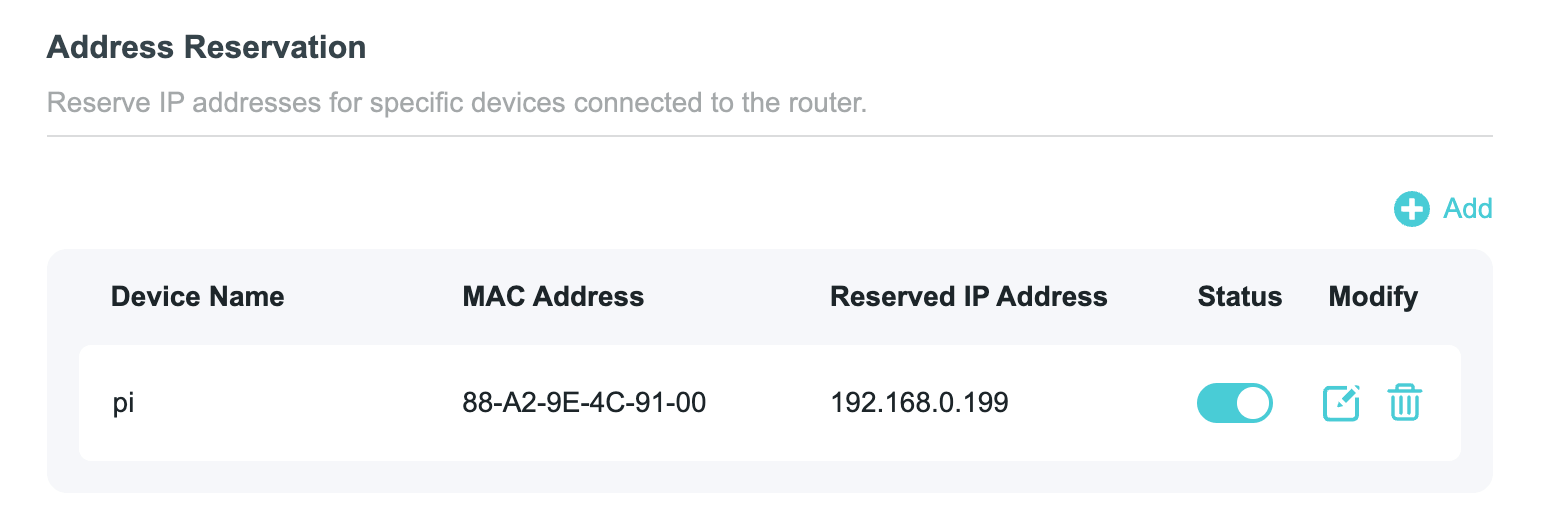
Now let's install Pi-hole
Run this command on the Pi. The official guide can be found here
curl -sSL https://install.pi-hole.net | bash
If we have already assigned a static IP, we can directly click on continue on this page: 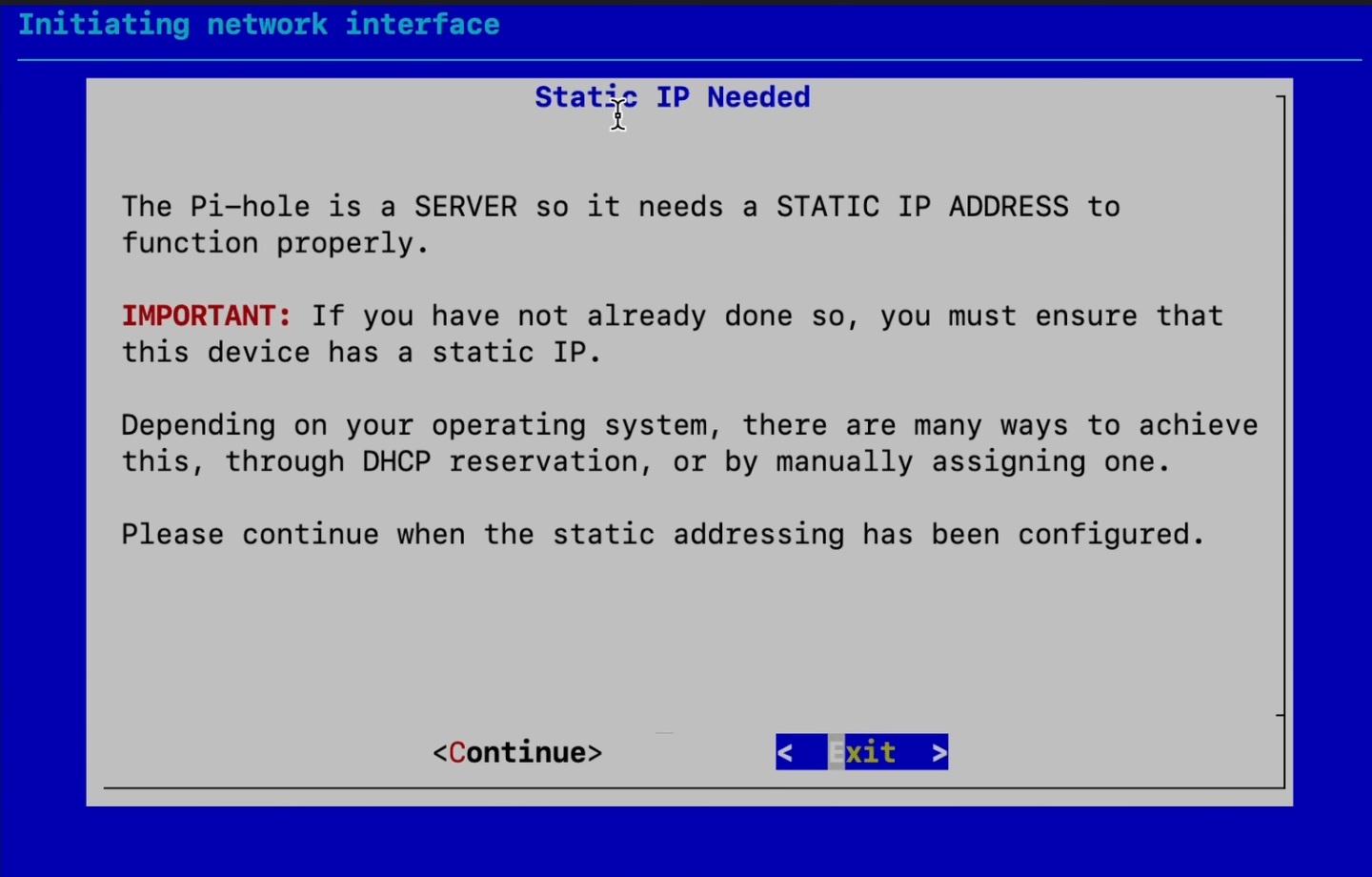
Once the installation wizard is finished, we can visit http://192.168.0.199/admin/login or the static IP we allocated. It should ask for a password, which we can get from the terminal where we ran the installation wizard.
Voila 🚀, we now have Pi-hole running. One last thing to do is route our DNS requests to the Pi-hole instance.
Route DNS requests to Pi-hole
Go to the admin page of your router—mine is at 192.168.0.1—and find something that says DHCP Server or the place where we assigned a static IP for the Pi. 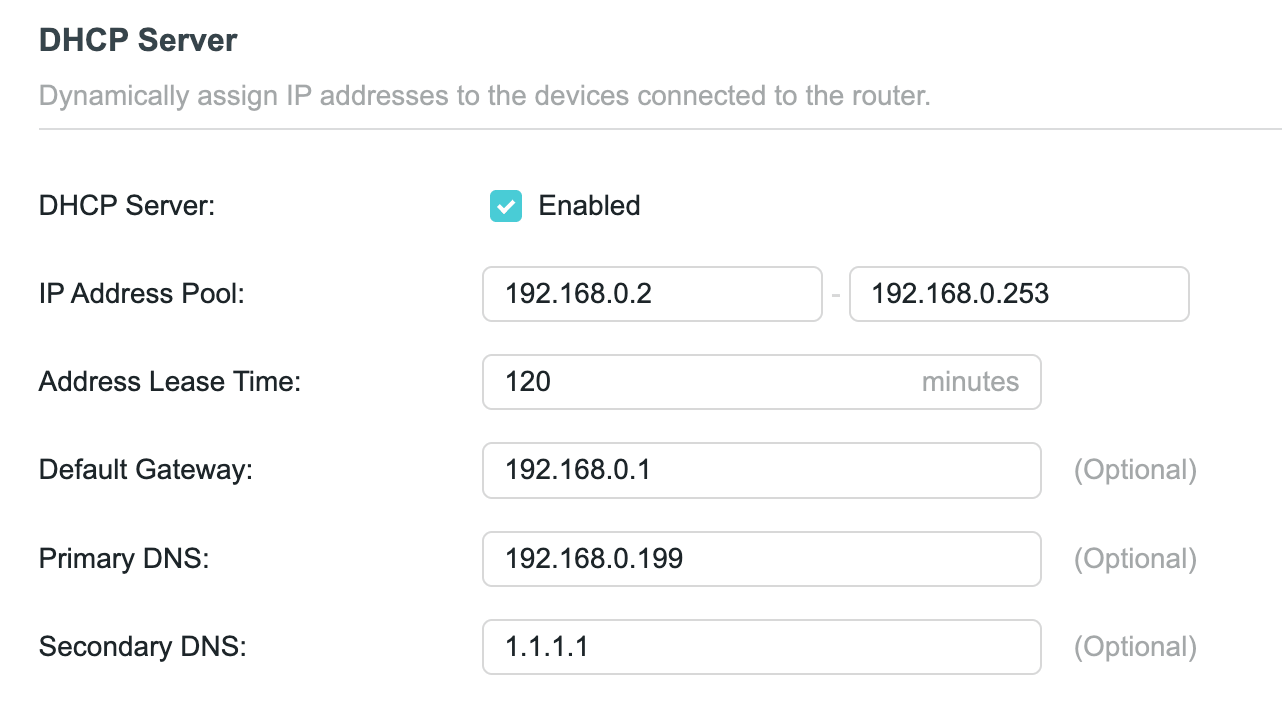
Add your Pi-hole static IP to the primary DNS for our LAN, and a secondary DNS for fallback. I've added 1.1.1.1
Done! Now all DNS requests on our local network will go through Pi-hole.
A nice video reference